
Automations
Ask once, and Justin keeps doing the job on a schedule.
An automation is a standing request that runs without you and delivers the result into Slack.
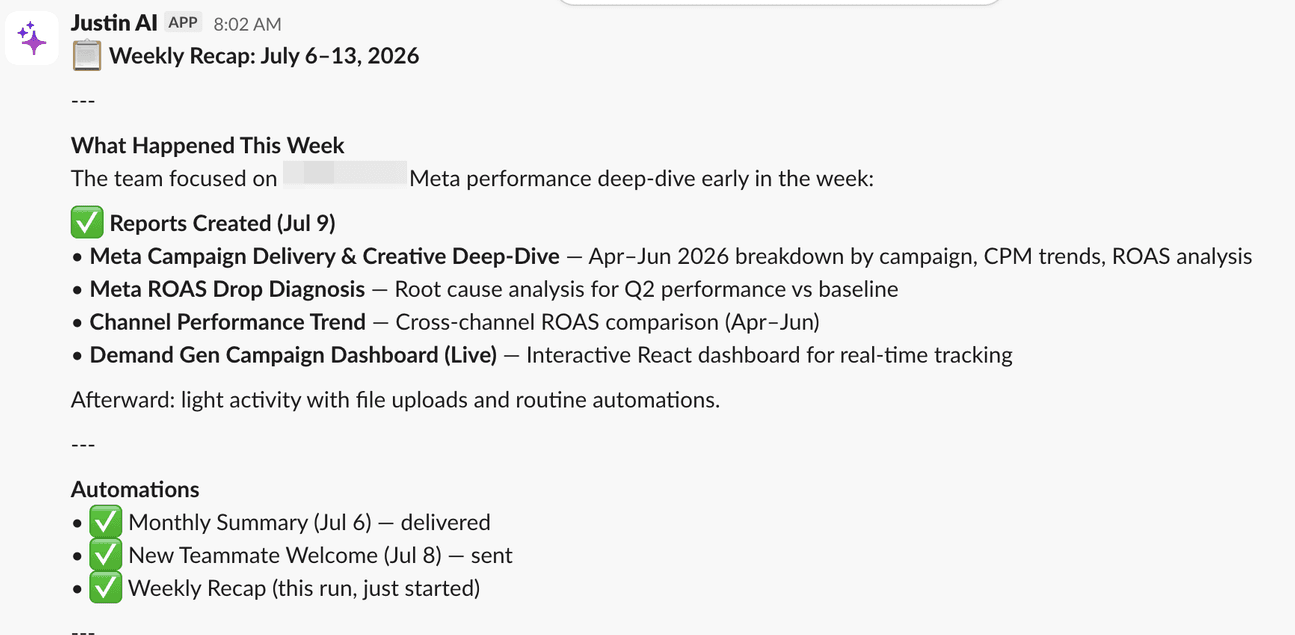
A weekly recap, delivered into the channel on schedule with nobody at a desk.
1. Create one
Ask in plain language: “post a summary of open issues to #standup every weekday at 9am”.
Or build it in app.getjustin.ai/automations.
Justin repeats the terms back to you, so you can correct them before it starts.
2. When it runs
One-off, recurring, event-driven, or manual only.
Schedules follow your team’s time zone.
Any automation can be run on demand with Run now.
3. Where it lands
Any combination of Slack channels, direct messages, in-app chat and email.
Justin has to already be in a channel before an automation can post there.
If one destination fails, the whole run is marked failed — Justin will not tell you a report was sent when it was not.
4. Follow up
Reply directly under a delivered report. No mention needed.
Justin picks the conversation up with the full context of that run.
5. Change or stop one
Ask it to list, pause or delete your automations, in the same words you would use with a colleague.
Or manage them in app.getjustin.ai/automations.