

Short answer: A shared AI bot needs a different review than a personal one, because one setup now touches everyone who's invited to it. Before rolling out Grok Team Bots, or any bot like it, check what files and connections it holds, whether each person's own chats stay private, and whether the plan and rollout stage you're actually buying match what you assumed. SpaceXAI's Team Bots is in public beta (an early-access version) on Teams and Enterprise plans as of September 28, 2026, per its announcement, with no pricing or certifications published yet.
Picture a new expert hire who already knows your team's playbook, and who gets a badge that opens several doors at once. A Team Bot arrives with the team's files, how-to instructions and connections to other tools, and it can do the work, not just talk about it. That's why a buyer's checklist matters. The setup, files and any team-wide connections reach everyone invited in, even though each person's own conversations with the bot stay private.
Why a shared bot changes the review
A personal AI assistant is one person's risk. A bot the whole team shares carries every file, plugin (app connection) and credential (secure login) anyone gives it, and every person it answers inherits that setup. Before you extend a pilot past one channel, treat it like any other piece of shared infrastructure: know what it can reach, who can add to it, and what happens when someone leaves the team.
The checklist
Check it | What Team Bots states today (Sep 2026) | What to still confirm |
|---|---|---|
Context | Files, instructions and skills (written how-to steps), "from brand guides to internal documentation" | Who can add or edit context, and whether outdated context gets removed |
Plugins | Apps such as Salesforce, Notion and GitHub, added by one person or set up team-wide | Which plugins are shared automatically vs. opt-in per person, and who is allowed to add one (role-based access control, or RBAC) |
Credentials | Secure logins to third-party apps with no plugin | Who holds the credential, and how it's revoked when someone leaves |
Memory | The bot retains what it learns and improves at its role over time | How a wrong memory gets corrected, and whether that correction is team-wide |
Per-user privacy | Each person's conversations stay private, with separate context and memory per user | Whether admins can see individual conversations, how long chats are kept, and what a compliance review needs |
Slack behavior | Its own handle; anyone in an invited channel can ask it questions and see its replies | Whether it can join channels on its own, and who controls that setting |
Public-beta status | Announced Sep 28, 2026, in public beta | Is there a GA date (general availability, meaning the finished release), an SLA (a guaranteed service level) or a support commitment for beta customers? |
Plan availability | Available on Teams and Enterprise plans | Price, seats and usage limits: none published yet, so get them in writing |
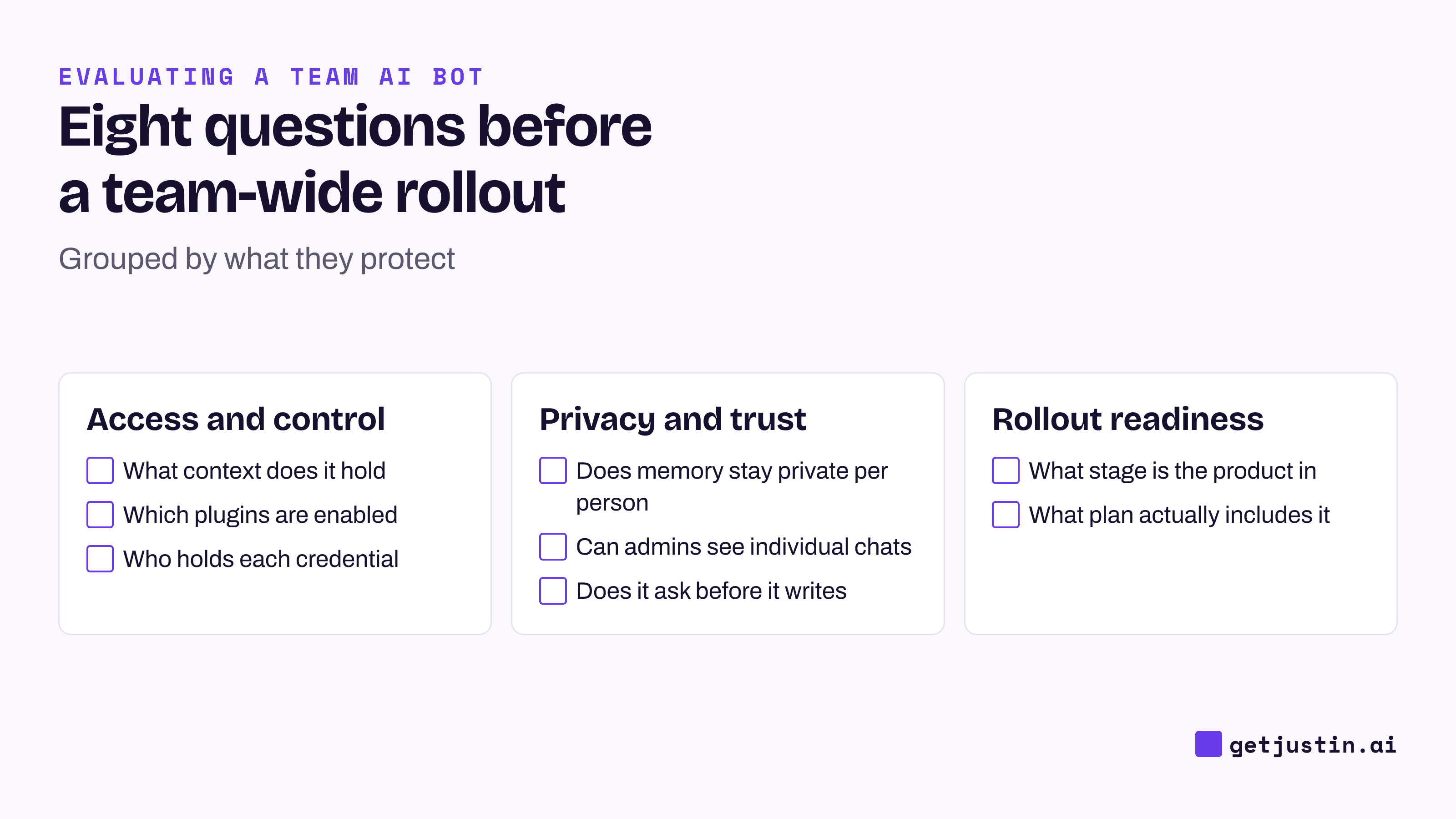
Figure: Eight questions, in three groups, before a shared bot goes past a pilot team.
Access and control: what it can reach
Context, plugins and credentials are the parts of a Team Bot that decide what it can see and do, and they're also the parts most likely to pile up quietly. A pilot team adds one plugin to solve one problem, and six months later nobody remembers who has access to what.
One more test: a tool showing as "connected" in a settings screen isn't proof the bot can use it when someone needs it. Before you trust a shared bot's plugin list, have someone test the exact connection your riskiest workflow depends on.
Privacy and trust: who sees what
The most reassuring line in SpaceXAI's announcement is that a Team Bot keeps each person's conversations private, with separate memory per user, even though its skills are shared. That's the right default for a bot the whole team talks to. Note what it covers: your own conversations, not replies the bot posts in a shared channel, which everyone there can see. Then confirm your real questions: can an admin see individual conversations for a compliance review, what happens to a private conversation when someone leaves, and can anything from a private chat feed what the bot learns for the whole team? How AI memory works at work explains why that last question matters.
Approvals are a related but separate question, and one SpaceXAI's page doesn't answer in general (its Marketing Bot example does show a preview-and-sign-off step): whether a plugin or credential lets the bot write to a system on its own, or whether every write pauses for a person to confirm first. Ask that question about every plugin you enable, not just the bot as a whole. Approving a plan and approving the specific write it leads to are not the same decision.
Rollout readiness: what stage you're actually buying
Access is the first gate: SpaceXAI lists Team Bots on its Teams and Enterprise plans, so a pilot starts with a plan conversation. Public beta also means the product can still change before it's finished, and SpaceXAI's page doesn't state a service guarantee, support commitment, finished-release date, or certification for this stage. None of that means don't buy it. It means price and scope the decision as a beta pilot, not a finished platform purchase, and get your real questions about data handling and support answered directly by sales rather than assumed from the announcement.
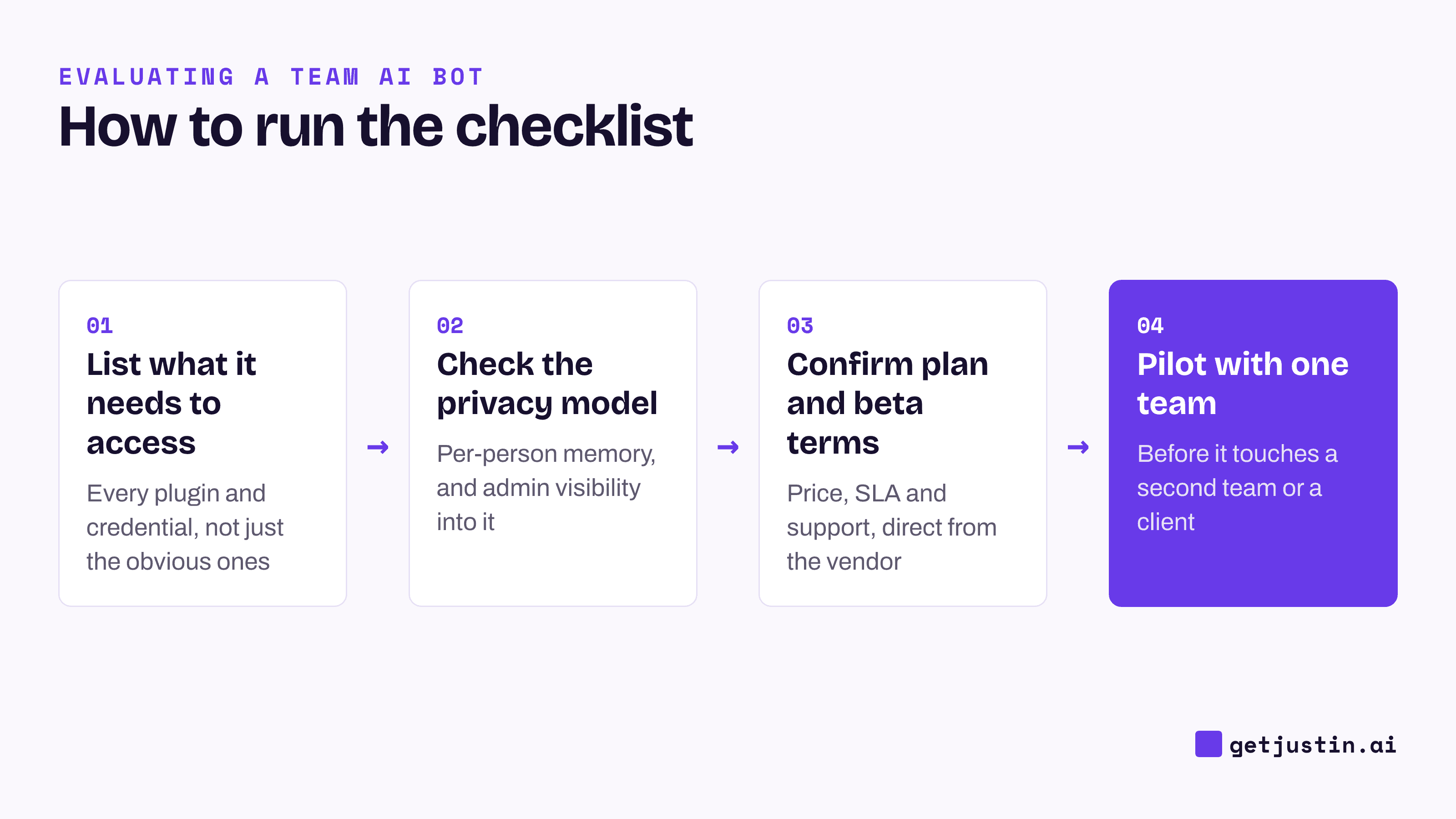
Figure: Run the checklist in this order, and pilot with one team before it touches a second.
How to use this checklist
Before a pilot: confirm plan availability and public-beta terms with the vendor directly, and list every plugin and credential the pilot will actually use, not every one that's available.
During the pilot: test the exact connections your workflow depends on, not just their status screen, and try correcting a wrong memory to see how the fix spreads.
Before a team-wide rollout: get a straight answer on admin visibility into private conversations, and confirm who owns revoking a credential when someone leaves and whether sign-in runs through SSO (single sign-on, meaning your company login).
For any shared bot, not just this one: the same eight questions apply to Justin or any other AI coworker that works in a team channel. Run the five trial tests for Slack agents alongside them.
FAQ
Is Grok Team Bots available on my plan?
As of September 28, 2026, SpaceXAI states Team Bots is in public beta on Teams and Enterprise plans, with no separate price published. Confirm current plan requirements directly with SpaceXAI or your account team.
Does each team member get their own privacy inside a shared Team Bot?
Yes, per SpaceXAI's announcement: each person's conversations stay private, with separate context and memory per user, even though the bot's skills are shared across the team. Confirm with the vendor whether admins can see individual conversations for a compliance review.
What should I ask about credentials before enabling a Team Bot for the whole company?
Ask who holds each credential, whether it's shared automatically or opt-in per person, and how it gets revoked when someone leaves the team. SpaceXAI's page describes credentials as secure access to other apps, but doesn't detail revocation.
Is Grok Team Bots ready for a security or compliance review?
Treat it as a public-beta product: no service guarantee, certification, or finished-release date is published as of September 2026. Bring your specific compliance questions to the vendor directly rather than assuming an answer from the announcement.
Do these checklist questions apply to any shared AI bot, or just Grok Team Bots?
They apply to any bot a team shares. Context, plugins, credentials, memory, per-user privacy and rollout stage are worth asking about for Justin or any other channel-based AI coworker, too.
Doing this with Justin
Justin, the AI coworker for Slack, is worth running through the same checklist. It remembers what your team tells it, as shared team memory. Ask it to remember a correction, and it keeps it for the team. It connects to thousands of apps, or your own MCP server (a standard way to connect your own systems). It asks before it writes to your connected tools, and you can approve once, or for that kind of action. Pilot it with one team before a company-wide rollout, the same way this checklist recommends for any shared bot.