

Short answer: A Grok Team Bot is an AI bot that a whole team sets up once and shares, instead of everyone starting from a blank chat. You give it the files and connections a role needs, and the team works from that same setup, while each person's own conversation with it stays private. SpaceXAI, the company behind Grok, announced Team Bots on x.ai on September 28, 2026, in public beta (an early-access version open to real customers) on Teams and Enterprise plans.
Think of it as a new expert joining your team who already has your playbook. They arrive with your files, your step-by-step how-tos and access to the tools the job needs. And they don't just answer questions. They do the work: checking a draft against your brand guide, posting a morning account summary in Slack, filing a bug as a ticket, making an approved website change and sharing a preview link, or answering a data question with a read-only lookup.
What is a Grok Team Bot?
A Team Bot is built around a job the whole team shares, such as one account, one project, or one function like marketing. Everyone on that team works with the same bot and the same setup.
Per SpaceXAI's announcement, every Team Bot is made of four pieces:
Building block | What it means, in plain words |
|---|---|
Context | The files, instructions and skills (written how-to steps) the role needs, "from brand guides to internal documentation" |
Plugins | Connections into apps such as Salesforce, Notion and GitHub. One person can connect a plugin for themselves, or the team can set one up for everyone |
Credentials | Secure logins or keys that let the bot reach other apps that don't have a plugin |
Memories | What it retains as it works, so it gets better at its role over time |
SpaceXAI also publishes four ready-made Team Bots people can start from: one for sales, one for product management, one for marketing and one for data analytics.
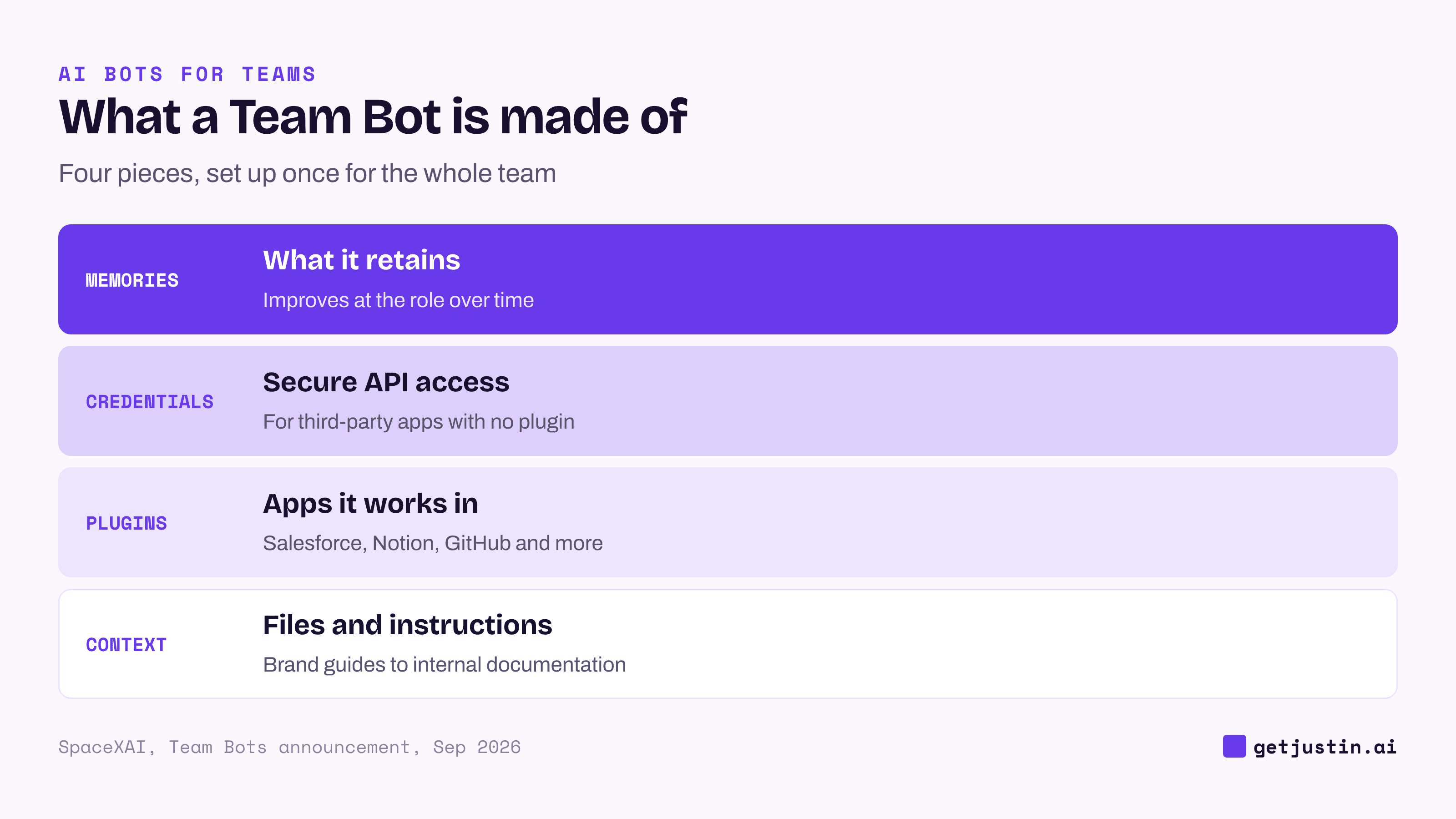
Figure: A Team Bot is context plus plugins, credentials and memories, set up once for the whole team.
How to use a Team Bot in Slack
Pick a role or workflow your team shares, or start from one of SpaceXAI's pre-built Team Bots.
Give it the context, plugins and credentials that job needs.
Invite the bot's own Slack handle to a channel. Everyone there can ask it questions, add context and see its answers.
The detail that matters most: the bot is shared, but SpaceXAI says each person's conversations with it stay private. It keeps separate context and memories for each user while drawing on the skills shared across the team. It's the same personal-versus-team split explained in how AI memory works at work.
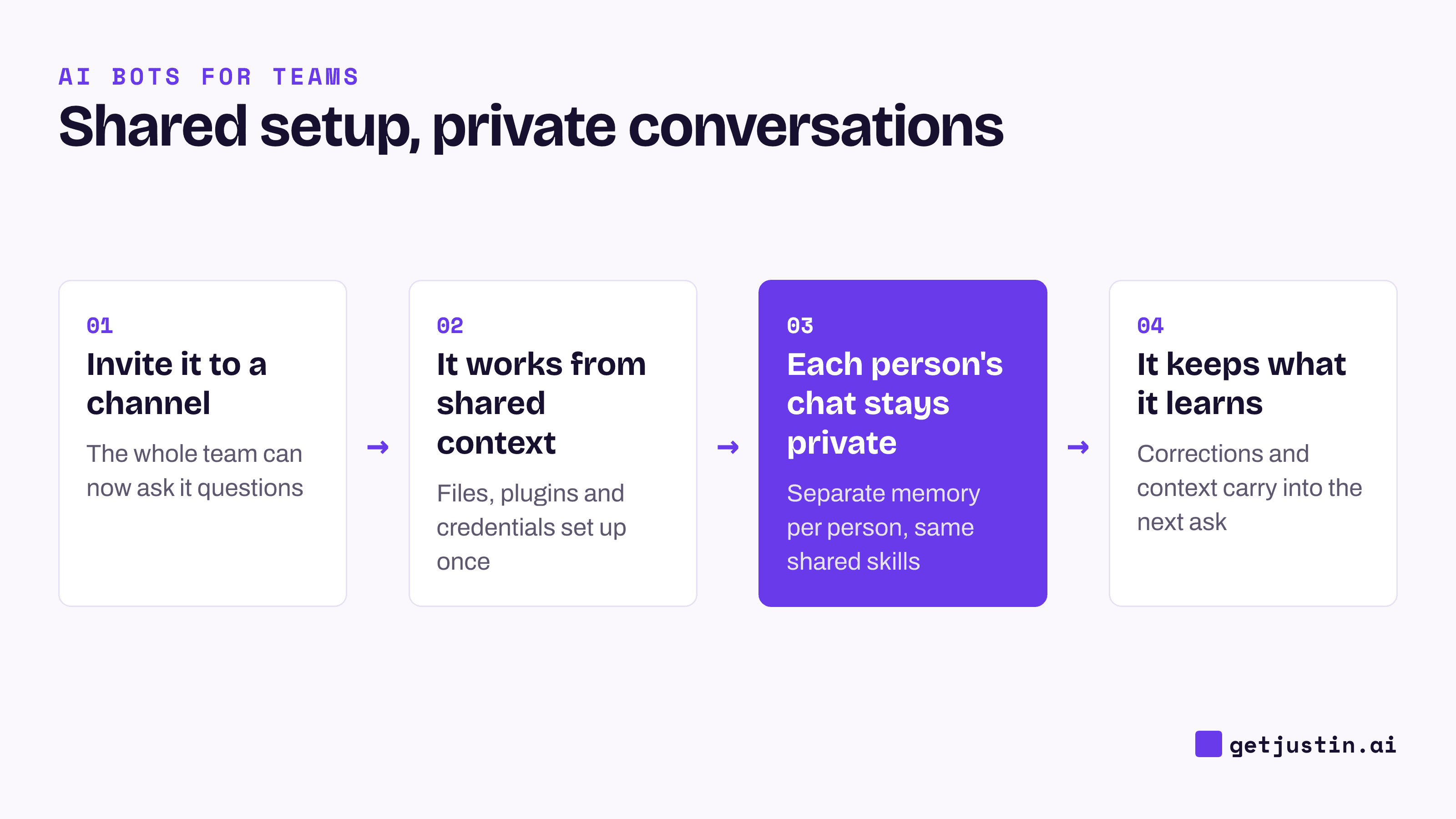
Figure: One bot, one shared setup, but a private conversation for each person who uses it.
The four pre-built Team Bots, and how SpaceXAI says it uses its own
SpaceXAI's post describes how the company uses Team Bots internally, department by department, and names a ready-made template for each:
Marketing ("Marketing Bot"): when someone posts a draft in Slack, it checks the draft against the brand guide and the team's current messaging. It can also carry an approved website or SEO (search engine optimization) change to a preview link for final sign-off. More in Grok Team Bots for marketing teams.
Sales and customer success ("Customer Bot"): one bot per major account, shared by the account executive, the customer success manager and the sales leader. Overnight it checks company news, sales calls and internal chat threads; each morning it posts a briefing in Slack, with a suggested next step already drafted for each person.
Product and engineering ("EPD Teammate"): works from a project's Slack channel, connects to tools such as Notion, Linear and a code editor, and can file a bug report as a ticket. For a well-defined fix, it can hand the work to a cloud coding agent (an AI that writes and tests code on its own). SpaceXAI's own claim: this pattern helped a five-person team ship over 100 pull requests (finished code changes) a day.
Data analytics ("Data Bot"): answers one-off questions from a data warehouse using shared, read-only access (it can look things up, not change them), and remembers corrections to its own queries over time.
One customer example from the announcement: Harper, an insurance company, built a Team Bot in 24 hours to find customers with lapsed policies and help them reinstate coverage. Its CEO, Dakotah Rice, said it saved customers "over $120,000 from hundreds of policies."
Who can use Team Bots today, and what's not confirmed
As of the September 28, 2026 announcement, Team Bots is in public beta on SpaceXAI's Teams and Enterprise plans. In practice, that means teams already on one of those plans, or ready to talk to sales. The page offers a macOS download and a "Contact sales" option. It doesn't publish a price, seat count, usage limits, a GA date (general availability, meaning the finished release) or any compliance certification. Treat anything else as unconfirmed until SpaceXAI publishes it.
Team Bots vs a Slack AI coworker
A Team Bot is one answer to a common problem: a team keeps re-explaining the same background to a bot that starts fresh each time. It isn't the only answer. An AI coworker such as Justin works on the same problem from inside the team's channel. It remembers what your team tells it, as shared team memory, and works in Slack, with a web app for setup and live pages. Whichever you weigh, run it through an enterprise buyer's checklist before it goes past one channel.
FAQ
What are Grok Team Bots?
Team Bots are Grok Bots that a team builds around a shared role or workflow, so everyone works from the same files, skills and connected apps instead of starting from scratch. Plugins can be connected by one person or set up for the whole team. SpaceXAI announced Team Bots on September 28, 2026.
Is Grok Team Bots free?
The announcement doesn't mention a free option. It says Team Bots is in public beta on Teams and Enterprise plans, and it publishes no price, seat count or usage limit. Check SpaceXAI's pricing and sales pages for current terms.
Does everyone on the team see what I ask the Team Bot?
Not in your own conversations. SpaceXAI says each person's conversations with a shared Team Bot stay private, with separate context and memories for each user. What the team shares is the setup: skills, files and any plugins set up for everyone. If you ask the bot something in a shared Slack channel, though, everyone in that channel can see its reply.
Can I connect a Team Bot to tools like Salesforce or Notion?
Yes. SpaceXAI lists plugins (connections) into apps such as Salesforce, Notion and GitHub, added either by one person or set up for the whole team, plus credentials (secure logins) for other apps that don't have a plugin.
How is a Team Bot different from a personal Grok Bot?
A Team Bot is built around a role or workflow the team shares, so everyone gets the same bot and its expertise, and each person can still work with it individually. SpaceXAI also says you can take Grok Bots you already use and share them with your team.
Doing this with Justin
If your team wants one helper that everyone works with in the open, Justin, the AI coworker for Slack, is built for that. Add it to a channel and everyone there can ask it for help and see what it posts, so the work happens where the whole team can follow it. It remembers what your team tells it, so nobody briefs it from scratch. It connects to thousands of apps, or your own MCP server (a standard way to plug in your own systems). And you stay in control: it asks before it writes to your connected tools, and you can approve once, or for that kind of action. It works in Slack, with a web app for setup and live pages.
Related reading
Grok Team Bots for enterprise: a buyer's checklist for any shared AI bot
Grok Team Bots for marketing teams