

Short answer: Ad budget pacing alerts compare month-to-date spend with where spend should be by today, and post in Slack only when a budget line drifts outside its band. A useful alert carries four numbers: spend so far, expected spend, projected month-end, and the daily spend that would land on budget. It stays silent on a normal day, and a person approves any budget change it suggests.
What does ad spend pacing mean?
Ad spend pacing is how far through the budget you are compared with how far through the month you are. The worked example below shows every step.
Step | Formula | Example: 12-person DTC brand, day 12 of 30 |
|---|---|---|
Monthly budget | From your media plan | $30,000 across Meta and Google Ads |
Expected by today | Budget × days elapsed ÷ days in month | $12,000 |
Actual so far | Month-to-date spend from each platform | $14,400 |
Pacing | Actual ÷ expected | 120% |
Projected month-end | Actual ÷ days elapsed × days in month | $36,000 |
Daily spend that lands on budget | (Budget − actual) ÷ days left | $867 a day, against $1,200 now |
The last row is the one people act on, so the alert should always carry it. If spend is uneven by design, such as heavier weekends or a promo week, put planned weekly amounts in the sheet and pace against those.
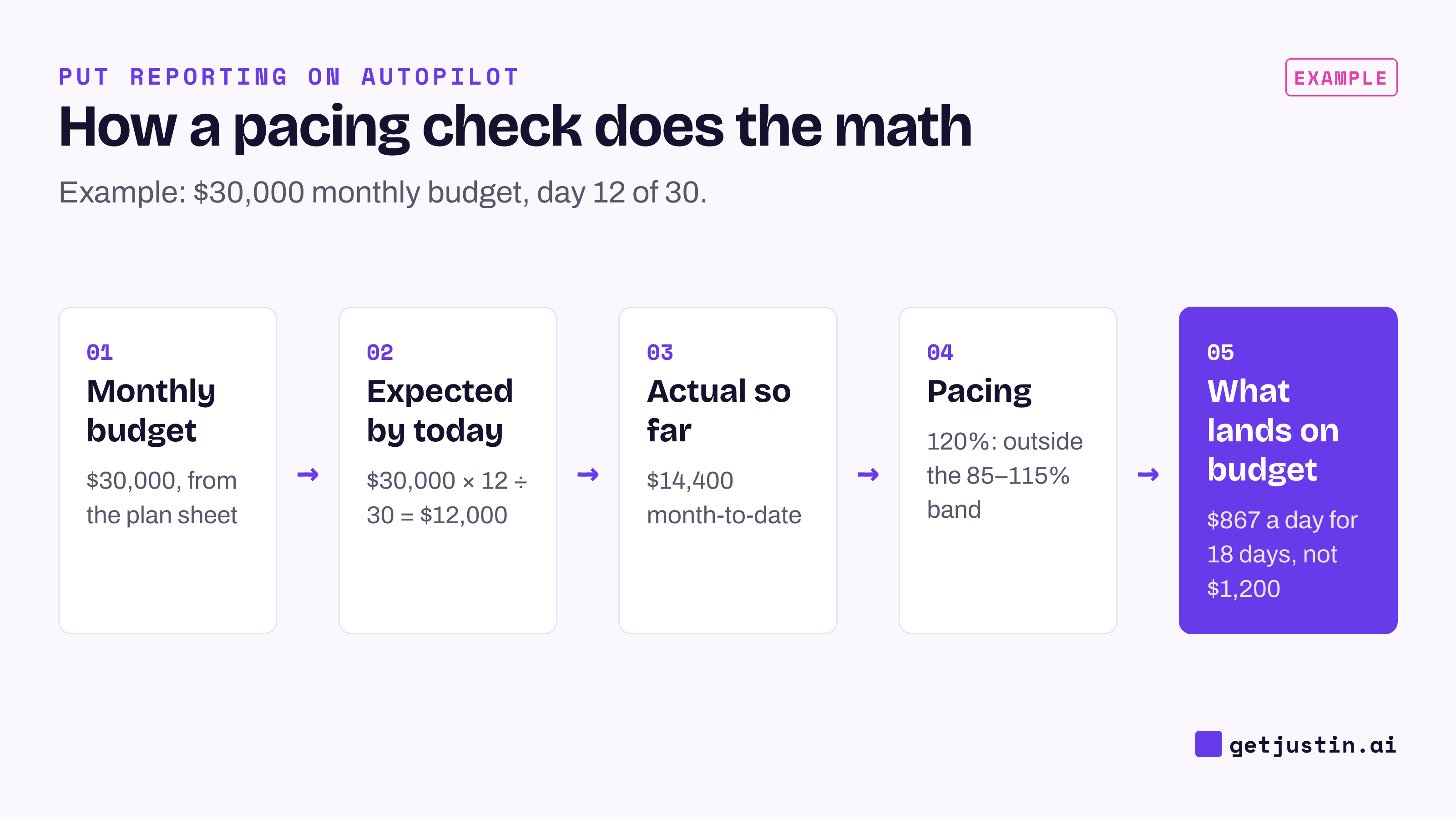
Figure: Pacing needs only the plan, the calendar and the platforms’ month-to-date spend.
The platforms won’t watch this for you. Google Ads can charge up to twice a campaign’s average daily budget on a given day, and no more than 30.4 times it in a month, for most campaigns (Google Ads Help, accessed 2026). Meta also lets a daily budget run over on strong days and balances it across the week (Meta Business Help, accessed 2026). Both protect each campaign’s own setting, not a monthly plan across campaigns and platforms.
What thresholds should trigger a pacing alert?
Pacing thresholds should tighten as the month goes on. Early on, one heavy day swings the percentage and there’s time to correct; late in the month the same gap is harder to fix. These are starting bands, not industry benchmarks; if the alert fires more than about once a week, widen them.
Days of the month | Alert when pacing is | Also alert when |
|---|---|---|
1–7 | Projected month-end above 130% | An active line spent nothing for a full day |
8–20 | Outside 85–115% | An active line spent nothing for a full day |
21–end | Outside 90–110% | The projected overrun is larger than one day’s budget |
Add a dollar floor so small lines don’t fire on noise: skip any line whose gap is under a few hundred dollars. Zero spend is the exception to every band, because it usually means something broke: a disapproved ad, a paused campaign, a declined card.
Pace each line against the plan you approved, not against the platform’s budget setting. If the alert reads budgets from the platform, a mistaken edit becomes the new plan and the alert agrees with it. Keep the plan in a sheet with one row per month and line.
When a line has no budget in the sheet, the alert should say so, never guess. A blank read as zero makes every dollar look like overspend, and a default budget fails the other way.
How do you set up a budget pacing Slack alert?
A budget pacing Slack alert is one standing request to an AI coworker that can read your ad accounts and your plan sheet. Write it the way you’d brief a colleague, including what to post when nothing is wrong: nothing.
Example: “Every day at 9am, compare month-to-date spend in Meta Ads and Google Ads against the September budgets in the Media plan sheet, using the bands in the Pacing tab. If any line is outside its band, post in #paid-media with spend so far, expected spend, projected month-end and the daily spend that lands on budget. If every line is on pace, post nothing. If a platform can’t be read or a line has no budget, post that instead.”
Once a day is enough for most teams. Spend figures can take hours to settle, so hourly checks mostly add noise; save them for a launch week.
The last clause matters most. An alert that stays quiet on a normal day is only trustworthy if a broken check can’t also be quiet, because silence has to mean “checked and on pace.” Put one line in your weekly marketing report, such as “Pacing: all lines within band”, so the quiet stays visible.
A fixed formula like this can also run in a no-code tool (AI agent vs Zapier covers when that’s the better fit); an AI coworker earns its place in what comes after the alert.
What should you do when a pacing alert fires?
When a pacing alert fires, find the cause before you touch a budget. The thread below shows the shape: numbers first, then a proposed change that waits for a person.
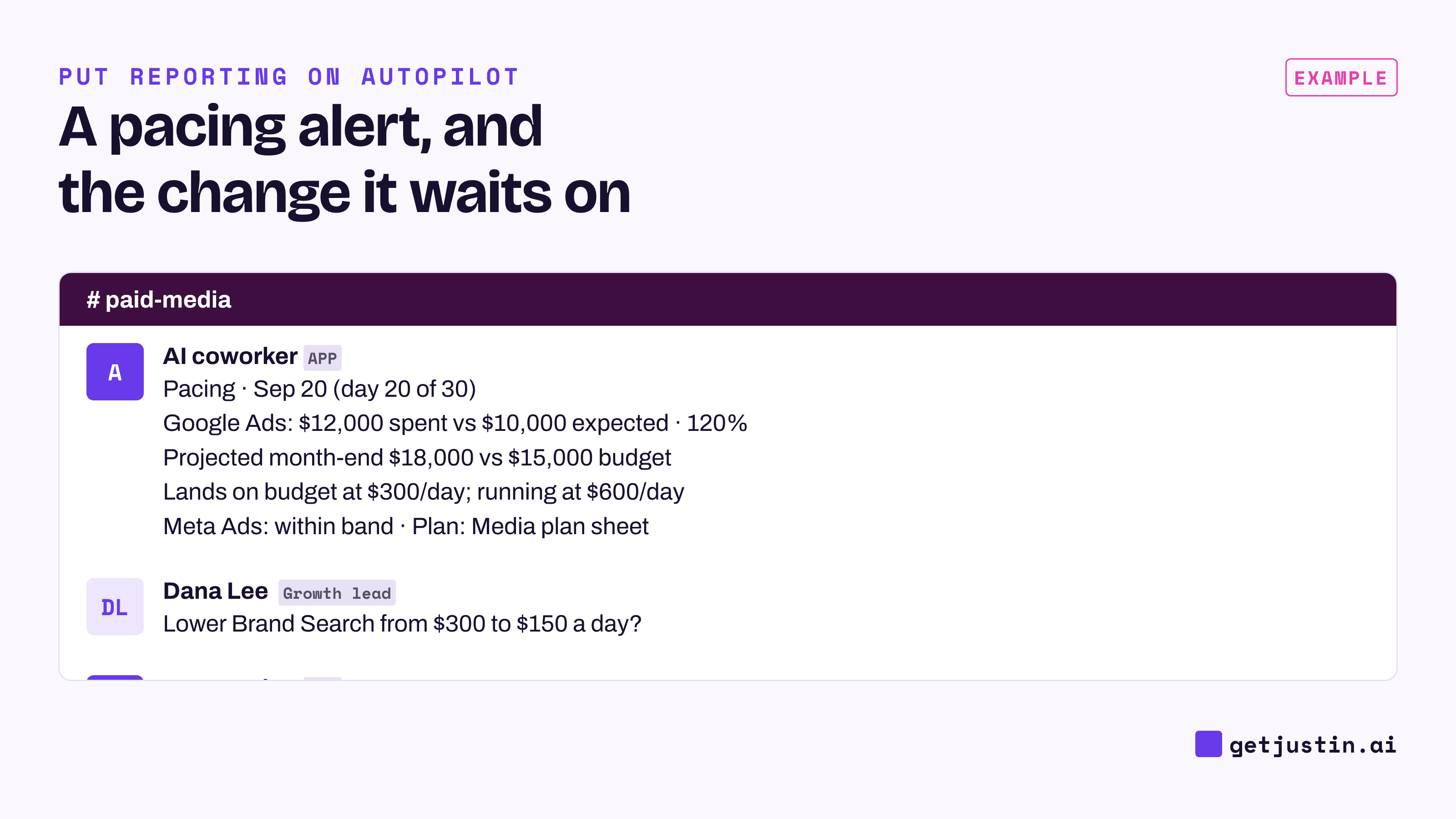
Figure: The alert proposes the number; a person approves the change.
What you see | Check first | Usual fix |
|---|---|---|
Overpacing early in the month | A budget raised by mistake, a new campaign, looser targeting | Undo the mistake; if the extra spend meets its CPA target, move budget rather than cut |
Overpacing late in the month | Which lines carry the overrun | Lower those daily budgets toward the “lands on budget” figure |
Underpacing | Disapproved ads, paused campaigns, bid or cost caps set too low | Fix delivery first; raising the budget won’t help if ads can’t run |
Zero spend | Billing, disapprovals, an ended schedule | Fix the account; this one can’t wait for the weekly report |
Resist catching up a big underspend in the last three days. Spending a month’s gap in a few days can buy some of the month’s most expensive traffic; often the better call is to carry the budget over or accept it.
Keep the budget change with a person. Agreeing the monthly plan is not approval for the alert to change budgets to hit it; on our team, an AI once read our CS ops lead’s answers to its design questions as a go-ahead to write, the story behind an AI marketing analyst that asks before it writes. For drops in results rather than spend, use anomaly alerts for marketing metrics.
FAQ
What is a good budget pacing percentage?
There’s no universal number; 90–110% of expected spend is a sensible band, with more room early in the month. Treat it as a starting point and tune it to how often it fires.
How do you calculate ad spend pacing?
Divide month-to-date spend by expected spend, where expected spend is the monthly budget times days elapsed over days in the month. Above 100% means you’re spending faster than planned. Also compute the projected month-end and the daily spend that would land on budget.
Should pacing alerts change ad budgets automatically?
No. Let the alert post the numbers and a proposed change, and let a named person approve it. The alert can’t see what that person knows, such as a promo planned for next week.
Can one pacing alert cover Meta and Google Ads together?
Yes, if it reads both platforms and compares them against one plan sheet with a line per platform, or one combined line. Keep separate lines when different people own each budget, so the alert can name who should act.
Doing this with Justin
Justin, the AI coworker for Slack, can run this check as an automation. Connect Google Sheets for the plan, plus Meta Ads and Google Ads. Invite Justin to #paid-media and @-mention it with your alert sentence, naming your time zone, and ask it to read the terms back before it starts. Run now shows a real result before the first scheduled day. On a normal day it stays silent. When it does post, reply under the alert to dig in, with no mention needed. If you then ask it to lower a budget, that’s a write to your ad account, so it asks before it makes the change, and approvals are recorded. The pricing page lists scheduled tasks on Pro and Max.