

Short answer: For GA4 reporting in Slack without Looker Studio, connect GA4 once to an AI coworker in your channel, ask questions in plain language, and schedule the few you ask every week. There’s no dashboard to build: ask for each answer to state its date range and when GA4 was read. Check the first answers against GA4’s own reports, because processing delays and thresholds can make a correct query look wrong.
The usual route is a dashboard first and a Slack message second. On our CS team, we’ve watched a dashboard get built, demoed and then go unused, while the report that landed in the channel every week got read.
What are the ways to get GA4 reports into Slack?
There are five ways to get GA4 reports into Slack, and they differ most in whether you can ask a follow-up. As of September 2026, GA4 has no built-in Slack delivery; Google’s own route runs through Looker Studio, which Google renamed Data Studio in April 2026.
Option | What lands in Slack | Follow-up questions | Watch out for |
|---|---|---|---|
Screenshots and links by hand | Whatever someone pastes | Only if that person has time | Stale by Tuesday; stops when they’re busy |
Data Studio scheduled delivery | A PDF of the report plus a link | No, open the report | Pro subscription only, with a cap on recipients per schedule |
Script or automation tool with the GA4 API | A fixed message with fixed metrics | No | Someone maintains the query and the credentials |
GA4-to-Slack app | A template report or an alert | Limited | You get their template, not your questions |
AI coworker in the channel | An answer to the question you asked | Yes, in the thread | Check its first answers against GA4 |
The first four send a fixed report. The last one answers the question you actually had, which matters most in the week something odd happens.
How do you connect GA4 to an AI coworker in Slack?
A GA4 Slack integration through an AI coworker takes one authorization and one test question. One person with read access to the GA4 property (GA4’s Viewer role is enough) connects it once, and the AI coworker joins the channel where the team talks about marketing.
Before scheduling anything, run a test you can check. Ask for last week’s sessions and key events (GA4’s current name for conversions) by default channel group. Then open GA4’s Traffic acquisition report for the same dates and compare two rows.
If the numbers differ, check three things in this order:
Property. Some teams have a second property for a staging site or an old setup.
Time zone. The property’s time zone decides where “last week” starts.
Date range. “Last week” can mean Monday to Sunday or the last seven days.
Once two rows match, tell the AI coworker which property and date convention to keep using.
Which GA4 questions are worth scheduling?
Schedule a GA4 question the second time you catch yourself asking it; the weekly report guide explains why that rule works. For most small teams, four questions earn a slot:
Traffic and key events by channel, weekly. Last week against the week before, with a flag on any channel that moved past its own bar.
Top landing pages, weekly. The top ten by sessions with their key event rate, flagging new entries.
New referral sources, weekly. Any site sending traffic that didn’t appear in the previous four weeks.
A drop in key events, as an alert. Checked daily, posted only when key events fall well below the same weekday’s recent average. Anomaly alerts for marketing metrics covers the thresholds.
The first three form one Monday post, which arrives every week, even with one line to say. The alert stays silent on a normal day. The example below shows the Monday post and a follow-up.
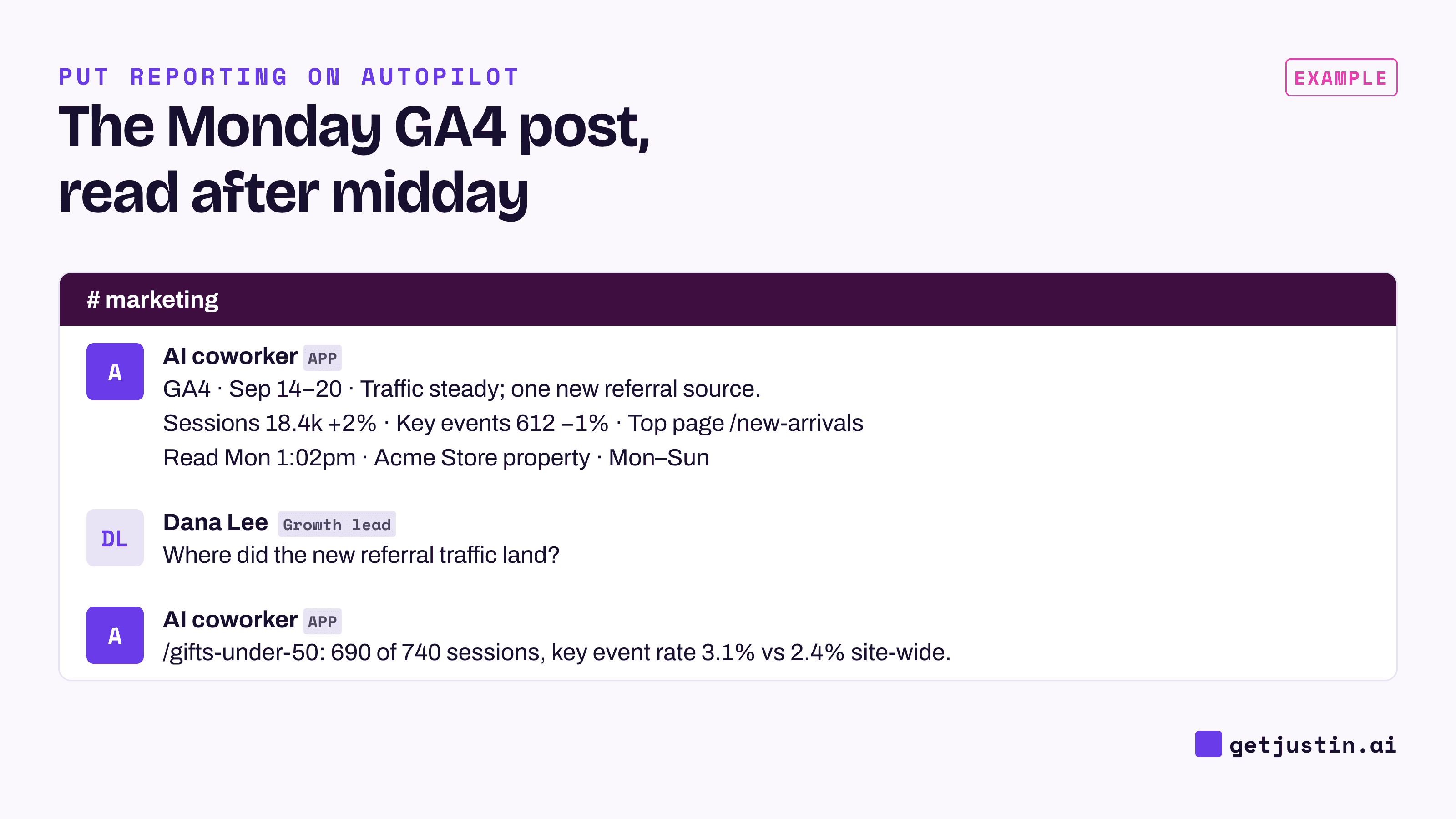
Figure: The weekly GA4 post states when it read the data; follow-ups stay in the thread.
Example: “Every Monday at 1pm Pacific, post last week’s GA4 sessions and key events by channel against the week before, the top ten landing pages, and any new referral sources, to #marketing. Say when you read GA4.”
What are the limits of GA4 data in a Slack report?
The biggest limit of GA4 data in a Slack report is timing. For standard properties, Google says daily data typically takes about 12 hours to process, and that processing can take 24–48 hours, with report numbers changing meanwhile (Google Analytics help). An 8am Monday report can be reading a Sunday that isn’t finished. Run it after midday and mark Sunday provisional, or report the week through Saturday.
Thresholds are the second limit. GA4 withholds rows when user counts are small, for example in demographics or narrow date ranges, and flags the card in its own interface (Google Analytics help). A Slack post should say when rows were withheld rather than showing a smaller total. Widening the date range usually brings them back.
Some limits aren’t GA4’s. Revenue in GA4 and in your store will differ most weeks; GA4, Shopify and Meta in one Slack thread covers which to report. How GA4 credits key events to channels depends on its attribution settings, which is a methodology debate; label the setting and move on.
The last limit is the scheduled run itself. On our team, scheduled runs have missed their data connection while settings showed it connected; what an alert should do when data is missing walks through the fix. A GA4 post that can’t read GA4 should say so rather than re-post an older read. So every post carries four things: when GA4 was read, the exact date range, any rows GA4 withheld, and a failed read stated as failed.
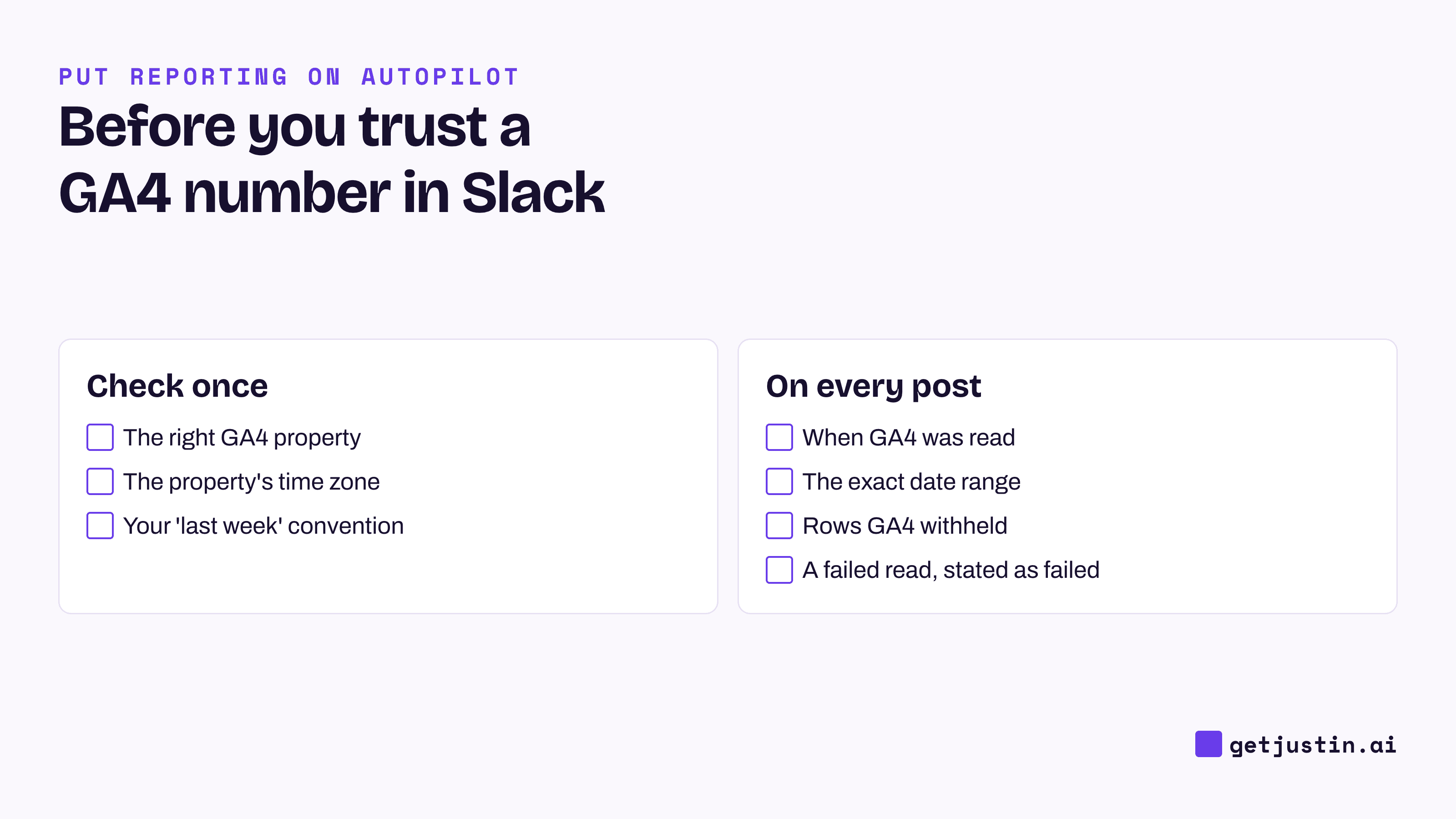
Figure: Three checks once, and four on every post, including saying when a read failed.
When is Data Studio still the better choice?
Data Studio is still the better choice when people need to explore, not ask. A shared dashboard suits a client-facing branded report, many stakeholders who self-serve, or charts that blend a dozen sources. Post its link in Slack, and keep the one-off questions for the thread.
FAQ
Does GA4 have a native Slack integration?
As of September 2026, GA4 doesn’t post to Slack on its own. Google’s route is Data Studio (formerly Looker Studio), whose Slack delivery needs a Pro subscription and sends a PDF with a link. The alternatives are a script, a GA4-to-Slack app, or an AI coworker that answers in the channel.
Can I send a GA4 weekly report to Slack for free?
A script that queries the GA4 Data API and posts through a Slack webhook costs nothing but engineering time and upkeep. Data Studio’s Slack delivery is a Pro feature.
Why doesn’t the GA4 number in Slack match what I see in GA4?
Usually it’s the property, the time zone or the date range; check them in that order. If the post ran early in the day, the last day may not be final yet. If rows are missing, GA4 may have withheld them for small counts.
How often should GA4 reports post in Slack?
Weekly for the report, on a set day after the previous day’s data has settled. Daily only as an alert that stays silent unless a number crosses its bar. A daily report nobody acts on trains people to mute the channel.
Doing this with Justin
Justin, the AI coworker for Slack, can run this with no dashboard. Connect Google Analytics once in app.getjustin.ai/connectors, invite Justin to #marketing, and @-mention it with your test question. Once the numbers match GA4, ask for the Monday post as an automation. Name the time zone in the request, and ask Justin to read the terms back before it starts. Use Run now to see a real post before Monday. When you choose the automation’s destinations, a run is marked failed if any of them fails, rather than reported as sent. Ask for a live page when you want a table: live pages show when their data was last updated, and you can ask where any number came from. The pricing page lists scheduled tasks on Pro and Max.